Your worlds, ready to return to — Anima's new server and account library
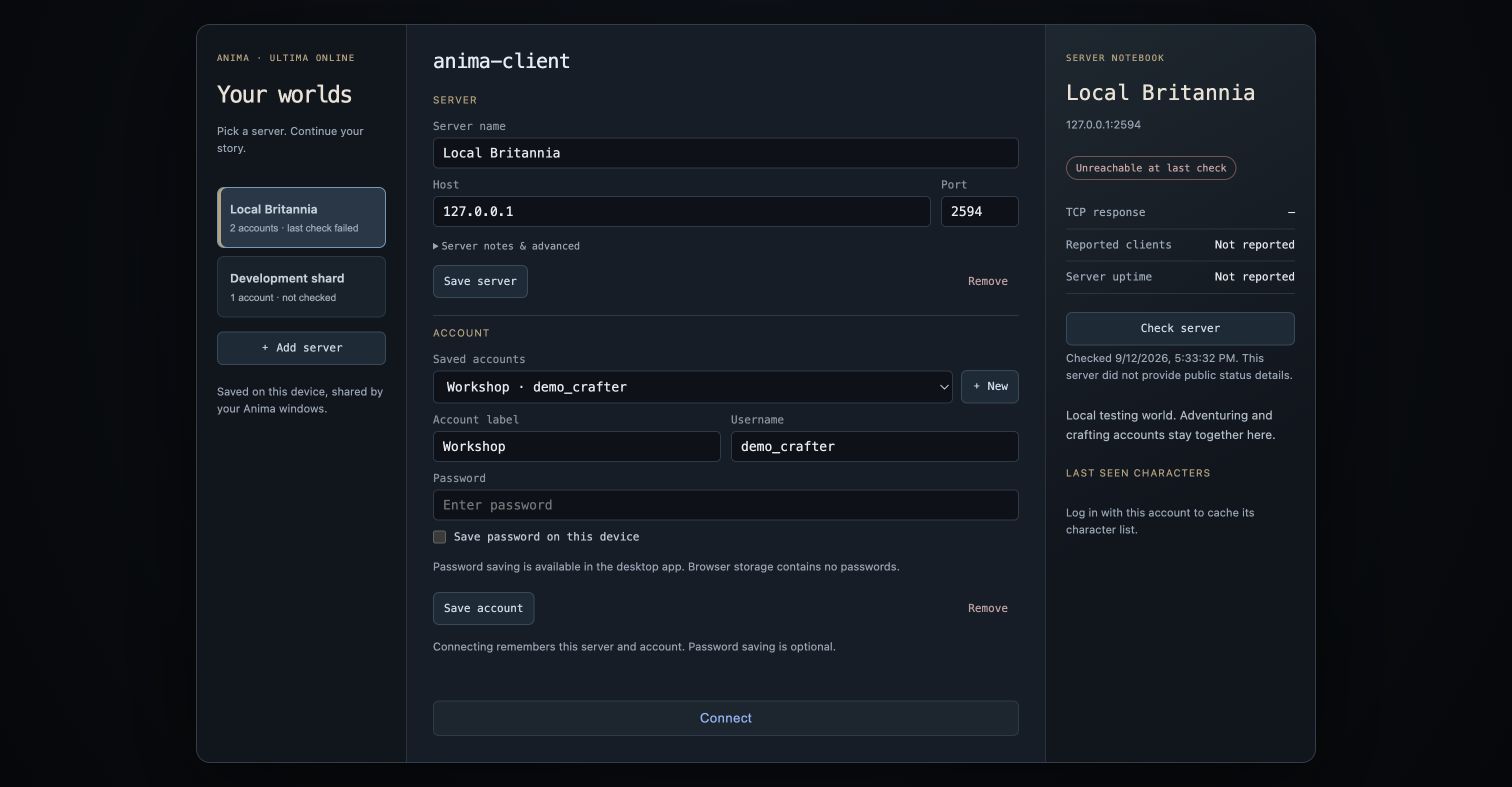
Switch between an adventurer, a crafter and a second shard without typing every connection detail again. The new login screen keeps your saved worlds on the left and a notebook for the selected server on the right.
Keep each world together
Save multiple servers with a name, host, port and personal notes. Each server has its own account list and labels. Connecting remembers the server and account, and reopening the same window restores your last selection. After authentication, Anima caches character names for your next visit; the existing character picker still loads the current server list before you enter the world.
Remember passwords when you choose
The desktop app can save passwords in macOS Keychain or Windows Credential Manager. Passwords are optional and are not written to profile JSON or browser storage. Uncheck the option and save to forget one. Editing a server's destination clears its saved passwords and character cache.
A server notebook beside your login
Check TCP reachability without sending account credentials. Compatible RunUO/ServUO servers may also report their name, client count and uptime. Check times remain visible, and older details remain cached if a later query cannot refresh them.
Available in the source build now; the published v0.6.0 installers do not include this feature. Build the desktop app with cargo run -p anima-desktop. The screenshot is a real capture of the shared login UI using disposable local profiles in the native development server; its password checkbox is disabled because OS-vault access is enabled only in the desktop app. The local shard was offline during this capture.
Browser tests and the full quality gate passed, and an isolated macOS Keychain save/read/delete check passed. Windows vault behavior and live-shard login for this change still need runtime validation. Setup and usage.
Which details would help you choose a world before logging in?
Replies (0)
No replies yet.